OpenClaw vs ZeroClaw vs PicoClaw vs NanoClaw vs MemU Bot: 5 Open-Source AI Agents Compared (2026)
By AI Workflows Team · March 5, 2026 · 18 min read
Comprehensive comparison of the 5 hottest open-source AI agents in 2026: OpenClaw, ZeroClaw, PicoClaw, NanoClaw, and MemU Bot. Detailed analysis of features, privacy, performance, cost, and which agent fits your use case.
The AI Agent Gold Rush Is Here — But Most Imitators Fall Short
If you've been anywhere near AI circles in early 2026, you've likely been bombarded by OpenClaw. The open-source AI agent went viral — amassing 134,000+ GitHub stars in its first month — and proved that autonomous AI assistants capable of coding, debugging, and managing tasks 24/7 are no longer science fiction.
But OpenClaw's explosive success triggered something predictable: a flood of imitators. Developers worldwide realized that building an AI agent wasn't reserved for big tech companies anymore. Within weeks, a wave of open-source alternatives appeared, each claiming to be lighter, faster, more private, or more capable than OpenClaw.
The community quickly identified five front-runners that have generated the most buzz: OpenClaw, ZeroClaw, PicoClaw, NanoClaw, and MemU Bot. But are these newcomers genuine competitors — or just riding the hype wave?
In this article, we break down each agent's architecture, strengths, weaknesses, and ideal use case — so you can decide which one (if any) deserves a place in your workflow.
Quick Decision Guide: Which AI Agent Is Right for You?
| Scenario | Best Choice | Why |
|---|---|---|
| General user, best ecosystem | OpenClaw | Most mature, largest community, richest plugin ecosystem |
| IoT / embedded devices | ZeroClaw | 5MB RAM footprint, 10ms cold start, Rust-based |
| Offline / air-gapped privacy | PicoClaw | Runs entirely on-device, zero cloud dependency |
| Security-first, developer-only | NanoClaw | Forced sandbox, minimal permissions, 4,000 lines of code |
| Power users wanting persistent memory | MemU Bot | Long-term memory, user profiling, proactive suggestions |
The 5 AI Agents, Compared
The competition among open-source agents ultimately boils down to three differentiators: runtime efficiency, execution environment, and security. Each agent makes different trade-offs to carve out its niche.
OpenClaw: The Benchmark Everyone Is Chasing
OpenClaw remains the gold standard. From feature design to application ecosystem, it's the most well-rounded open-source agent available. While early versions had security gaps (the original developer, Peter Steinberger, initially designed it for local-only use rather than cloud deployment), the open-source community has rapidly addressed these through multiple security patches in recent releases.
Key strengths:
- Richest ecosystem: Largest library of community-built skills and plugins
- Multi-platform: Works via WhatsApp, Telegram, Discord, and web dashboard
- Persistent memory: Maintains context across sessions 24/7
- MCP integration: Native Model Context Protocol support for extensibility
- Active community: 134,000+ GitHub stars mean abundant help and documentation
Best for: General users who want a mature, well-supported agent with the least friction. If you're unsure which agent to pick, start with OpenClaw — the ecosystem alone makes troubleshooting dramatically easier.
For a complete setup guide, see our OpenClaw Complete Guide 2026.
ZeroClaw: Ultra-Lightweight, But Privacy Is the Elephant in the Room
ZeroClaw, developed by the open-source ZeroClaw Labs community, takes a fundamentally different approach. Built entirely in Rust, it requires just 5MB of memory to run — making it suitable for extremely low-power devices like microcontrollers and legacy embedded hardware. Cold start times are compressed to an astonishing sub-10ms.
ZeroClaw also supports AI persona customization, letting users shape the agent's behavior to match specific workflows or personality preferences.
Key strengths:
- Extreme lightweight: 5MB RAM, sub-10ms cold start
- IoT-optimized: Runs on smoke sensors, microcontrollers, and edge devices
- Persona system: Customizable AI personalities for different tasks
- Rust performance: Memory-safe with minimal overhead
Key weaknesses:
- Cloud-dependent: All heavy computation happens server-side, which introduces latency on unstable networks and incurs ongoing API costs
- Thin ecosystem: Far fewer plugins and community resources than OpenClaw
- Privacy black box: When everything runs in the cloud, user data privacy becomes an unresolved concern
Best for: Smart IoT deployments where the agent runs on edge devices (e.g., a smoke detector that coordinates responses across smart home devices). Power users should deploy a local compute terminal to reduce cloud dependency.
The trade-off in one line: Extremely fast and tiny — but every byte of your data flows through the cloud.
PicoClaw: Maximum Privacy, Minimum Capability
PicoClaw, developed by Sipeed, markets itself on two pillars: lightweight edge execution and perfect local privacy. It claims to run smoothly even without any network connection — a genuinely useful feature for air-gapped or security-sensitive environments.
But privacy comes at a steep cost. PicoClaw does not support screen visual recognition or complex GUI automation. It lacks large-scale data management capabilities, so don't expect it to handle long document parsing or multi-step cross-application workflows. When faced with tasks that require extracting data from an email and filling it into a spreadsheet, PicoClaw has a tendency to freeze entirely.
Key strengths:
- True offline execution: No cloud dependency whatsoever
- Privacy guarantee: Data never leaves the device
- Rapid single-step tasks: Fast for simple text-based commands
- "Self-evolving" origin story: The codebase was largely AI-generated and optimized, making it an interesting case study in AI-driven development
Key weaknesses:
- No GUI automation: Can't interact with visual interfaces
- Multi-step failures: Tends to crash on cross-application workflows
- Limited data handling: Can't process large documents or datasets
- Bare-bones features: Essentially a text-command processor
Best for: Older or resource-constrained devices where privacy is non-negotiable. Also interesting as an academic case study in AI-built software — the agent was nearly entirely "coded by AI."
NanoClaw: The Bare-Bones "Unfurnished" Agent
NanoClaw pushes minimalism to the extreme. Its core codebase is just 4,000 lines (with a stripped-down version at only 500 lines) — compact enough to run on a high-performance router. To achieve this, NanoClaw strips out all GUI automation entirely; interaction is limited to text commands and structured API calls.
The catch? Almost every feature must be built from scratch by the AI at runtime. Combined with debugging overhead, NanoClaw is essentially a "blank canvas" that only technical experts can use effectively. Even finding community-built extensions is challenging — because NanoClaw's bare-bones architecture means users must first install the matching capability before any third-party application will work.
Key strengths:
- Maximum security: Forced sandboxed execution with minimal system permissions — no matter what happens, it can't damage your host machine
- Extreme portability: Runs on routers and single-board computers
- Fully transparent: 4,000 lines of code are trivially auditable
Key weaknesses:
- Expert-only: Ordinary users should look elsewhere; extensive coding knowledge is required
- Feature desert: Nearly everything needs to be built (or AI-generated) before use
- Sparse ecosystem: Very few pre-built applications or community resources
- Debugging overhead: Significant time investment to get anything working
Best for: Security researchers, tinkerers, and developers who want maximum control and auditability. NanoClaw is essentially a framework — not a product.
MemU Bot: OpenClaw on Steroids, But at What Cost?
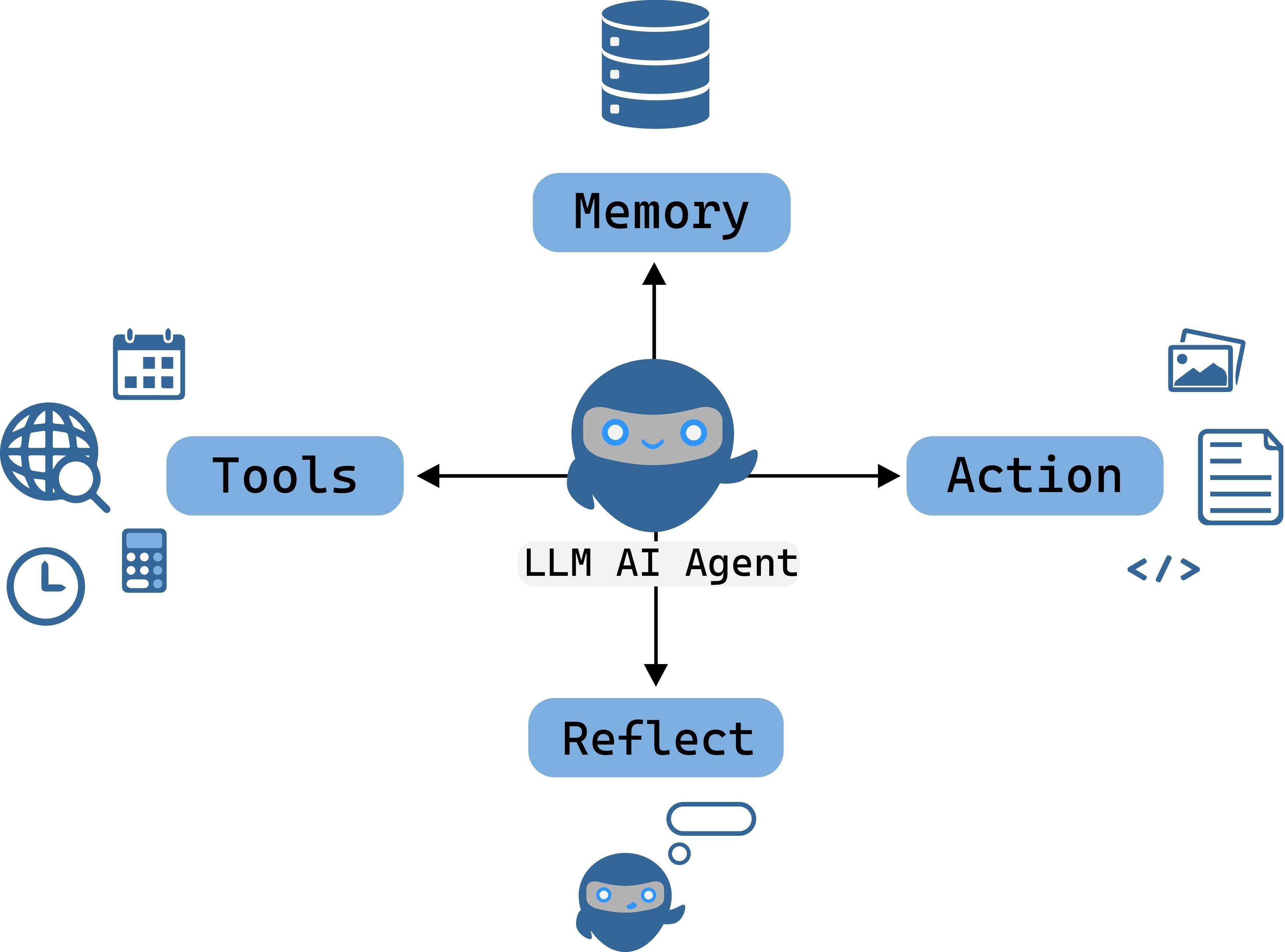
MemU Bot builds directly on OpenClaw's foundation but adds two marquee features: long-term memory with user profiling and MCP protocol integration out of the box. It also claims an application ecosystem rivaling OpenClaw's, with a simpler deployment process.
What makes MemU Bot distinctive is its proactive behavior — it actively monitors your current work and offers suggestions without being asked. This makes it feel more like a co-worker than a tool.
Key strengths:
- Persistent long-term memory: Remembers your preferences, habits, and past interactions across sessions
- User profiling: Builds a model of your work patterns to provide personalized assistance
- Proactive assistance: Suggests actions based on context, not just responding to commands
- MCP integration: Native protocol support for extensible tooling
- Rich ecosystem: Application library comparable to OpenClaw
Key weaknesses:
- Resource-hungry: Requires strong local hardware AND significant cloud compute (2–3× OpenClaw's API costs)
- Performance degradation over time: As memory data accumulates locally, context scanning slows down noticeably — eventually impacting device performance
- Extreme permission requirements: MemU Bot demands more system access than OpenClaw, leaving users with essentially zero privacy if the system is compromised
- Not fully open source: Core components remain closed-source, fueling concerns about security and data handling transparency
Best for: Power users who want an AI assistant that remembers everything and proactively helps — and who are comfortable with the privacy and cost trade-offs.
Head-to-Head Feature Comparison
| Feature | OpenClaw | ZeroClaw | PicoClaw | NanoClaw | MemU Bot |
|---|---|---|---|---|---|
| Core Language | TypeScript | Rust | Python | C | TypeScript |
| Min RAM | ~200MB | 5MB | ~50MB | ~10MB | ~500MB |
| Cold Start | ~2s | <10ms | ~1s | <100ms | ~5s |
| Execution | Local + Cloud | Cloud-dependent | Edge-only | Sandboxed local | Local + Cloud |
| GUI Automation | ✅ Yes | ⚠️ Limited | ❌ No | ❌ No | ✅ Yes |
| Persistent Memory | ✅ Yes | ❌ No | ❌ No | ❌ No | ✅ Enhanced |
| Offline Mode | ⚠️ Partial | ❌ No | ✅ Full | ✅ Full | ❌ No |
| Plugin Ecosystem | ⭐⭐⭐⭐⭐ | ⭐⭐ | ⭐ | ⭐ | ⭐⭐⭐⭐ |
| Security Model | Community-patched | Cloud trust | Edge isolation | Forced sandbox | Closed-core |
| Privacy | ✅ Local-first | ❌ Cloud-dependent | ✅ Full privacy | ✅ Sandboxed | ⚠️ High permissions |
| MCP Support | ✅ Native | ❌ No | ❌ No | ❌ No | ✅ Native |
| API Cost | Baseline | Baseline | $0 (local) | $0 (local) | 2–3× baseline |
| Open Source | ✅ MIT | ✅ MIT | ✅ Apache 2.0 | ✅ MIT | ⚠️ Partial |
| Difficulty | ⭐⭐ Medium | ⭐⭐⭐ Hard | ⭐⭐ Medium | ⭐⭐⭐⭐⭐ Expert | ⭐⭐ Medium |
| Best For | General use | IoT | Offline privacy | Security research | Power users |
So Which Agent Should You Actually Use?
After testing all five agents, the honest answer comes down to cost tolerance and use-case fit.
For Casual Users: Just Use OpenClaw
If you're a regular user who needs a background assistant to auto-reply to messages, manage schedules, or handle light automation — OpenClaw is still the best choice for one simple reason: it has the most mature ecosystem. When you run into problems (and you will), you'll find answers in minutes, not days.
For Budget-Conscious Edge Use: PicoClaw (Barely)
If you absolutely need privacy and are willing to accept extremely limited functionality, PicoClaw running on a phone's NPU can handle low-stakes tasks like message sorting. But be realistic — the results are only useful for high-error-tolerance tasks. Don't expect production-quality output from a local-only small model.
For Professional / Enterprise Use: Cloud-Powered Agents Win
For high-stakes professional work — data analysis, complex automation, report generation — you need cloud compute. ZeroClaw or OpenClaw with cloud API access deliver the best balance of quality and reliability. Yes, API costs add up, but as a productivity tool, the ROI is clear.
Based on current pricing, expect to spend $10–50/month on LLM API costs depending on usage volume. Trying to run professional-grade agents at zero cost is unrealistic unless your quality bar is very low.
For Tinkerers and Security Researchers: NanoClaw
If you're a developer who enjoys building from scratch and wants an auditable, sandboxed agent framework — NanoClaw is a fascinating playground. Just don't expect it to be productive out of the box.
The Real Story: Agents Are the New Operating System

The explosion of AI agents after OpenClaw's success mirrors the "Hundred Model War" of 2024–2025 — but with a crucial difference. The model wars were about benchmark scores and parameter counts. The agent wars are about who can help users get real work done.
Some commentators have oversimplified the transition from large language models to agents as a simple "version upgrade." That's wrong. The underlying models haven't changed dramatically — what's changed is the orchestration layer and human-machine interaction paradigm.
From "Brain in a Jar" to "Brain with Limbs and Eyes"
Traditional LLMs, no matter how impressive on benchmarks, are fundamentally passive — they receive input and produce output, but they can't interact with the physical or digital world. Agents change this by giving the "brain" the ability to:
- See: Screen reading, visual understanding, document parsing
- Act: Execute commands, write files, call APIs, manage applications
- Remember: Maintain persistent state across sessions
- Plan: Break down complex tasks into executable steps autonomously
- Learn: Adapt behavior based on past interactions
The Three Elements of a True Agent
For an AI system to qualify as a genuine autonomous agent, it needs three core capabilities:
- Autonomous task planning — breaking vague instructions into concrete steps
- Long-term memory and summarization — retaining context beyond a single session
- Self-reflection and error recovery — handling unexpected failures without human intervention
OpenClaw and MemU Bot have demonstrated the first two. But the critical third element — true self-reflection — remains elusive. The viral moment when OpenClaw's creator Peter Steinberger said "I didn't teach it how to do that — it figured it out on its own" was impressive, but the reality is more nuanced: OpenClaw found the right API tools already installed on his machine and autonomously wrote the commands to use them. It's resourceful, not magic.
The Agent-as-OS Future
Looking ahead, the most likely trajectory for AI agents isn't replacing individual apps — it's replacing the operating system itself. Rather than trying to have agents "code new apps on the fly" (expensive and unreliable), the future is agents that orchestrate existing applications at the OS level.
This is likely why Peter Steinberger ultimately joined OpenAI rather than another company — OpenAI has been openly pursuing an AI operating system vision, and the alignment with OpenClaw's philosophy appears intentional.
When agents become the OS, users will truly delegate work with simple natural language instructions. But this raises a profound question: are we ready to let AI fully manage our digital lives?
Frequently Asked Questions
Which open-source AI agent has the best security?
NanoClaw has the strongest security model by design — forced sandboxed execution with minimal permissions means it literally cannot damage your host system regardless of what happens. OpenClaw follows with active community security patches. MemU Bot raises the most security concerns due to its elevated permission requirements and partially closed-source codebase.
Can I run these agents completely offline?
Only PicoClaw and NanoClaw support full offline execution. PicoClaw is designed for air-gapped environments, while NanoClaw's minimal footprint allows it to run on isolated devices. OpenClaw and MemU Bot require internet for LLM API calls. ZeroClaw is entirely cloud-dependent.
How much does it cost to run an AI agent?
OpenClaw and ZeroClaw typically cost $10–50/month in LLM API fees depending on usage. MemU Bot costs 2–3× more due to its enhanced memory processing. PicoClaw and NanoClaw can run at $0 using local models (Ollama), but with significantly reduced output quality.
Are these agents ready for enterprise production use?
Not yet. All five agents are actively evolving. OpenClaw is the closest to production-ready thanks to its large community and rapid security patching, but enterprises should still implement approval workflows, code review processes, and access controls before deploying any agent in production environments.
What's the difference between an AI agent and an LLM chatbot?
An LLM chatbot (like ChatGPT or Claude) is a "brain in a jar" — it can only respond to inputs. An AI agent is that brain with eyes, limbs, and memory — it can see your screen, execute commands, remember past sessions, and autonomously plan multi-step tasks. The underlying model may be the same; the difference is the orchestration and execution layer.
Should I wait for a better agent, or start with OpenClaw now?
Start with OpenClaw now. The ecosystem maturity alone makes it the pragmatic choice. You can always switch or add agents later — most developers in 2026 use multiple AI tools for different tasks. Getting hands-on experience with one agent teaches you patterns that transfer to all of them.
Conclusion
The post-OpenClaw AI agent landscape is evolving rapidly, but the honest assessment is that most imitators are riding the hype more than advancing the technology. ZeroClaw, PicoClaw, NanoClaw, and MemU Bot each have genuine innovations — ultra-lightweight design, edge privacy, security-first architecture, and persistent memory respectively — but none have matched OpenClaw's overall ecosystem maturity.
For most users, OpenClaw remains the clear recommendation. For specialized needs — IoT, offline privacy, security research, or power-user memory features — the alternatives offer real value in their niches.
The bigger picture is more exciting: AI agents are rapidly evolving from tools into something that looks increasingly like a new kind of operating system. When that future arrives, today's early adopters will have a significant head start.
Ready to get started? Read our OpenClaw Complete Guide 2026 for step-by-step setup instructions.
Image sources: ZeroClaw, PicoClaw, NanoClaw, MemU Bot, and Leike Technology (雷科技). Original article: 36Kr.
Last Updated: March 2026